
Leather-jacket character swap
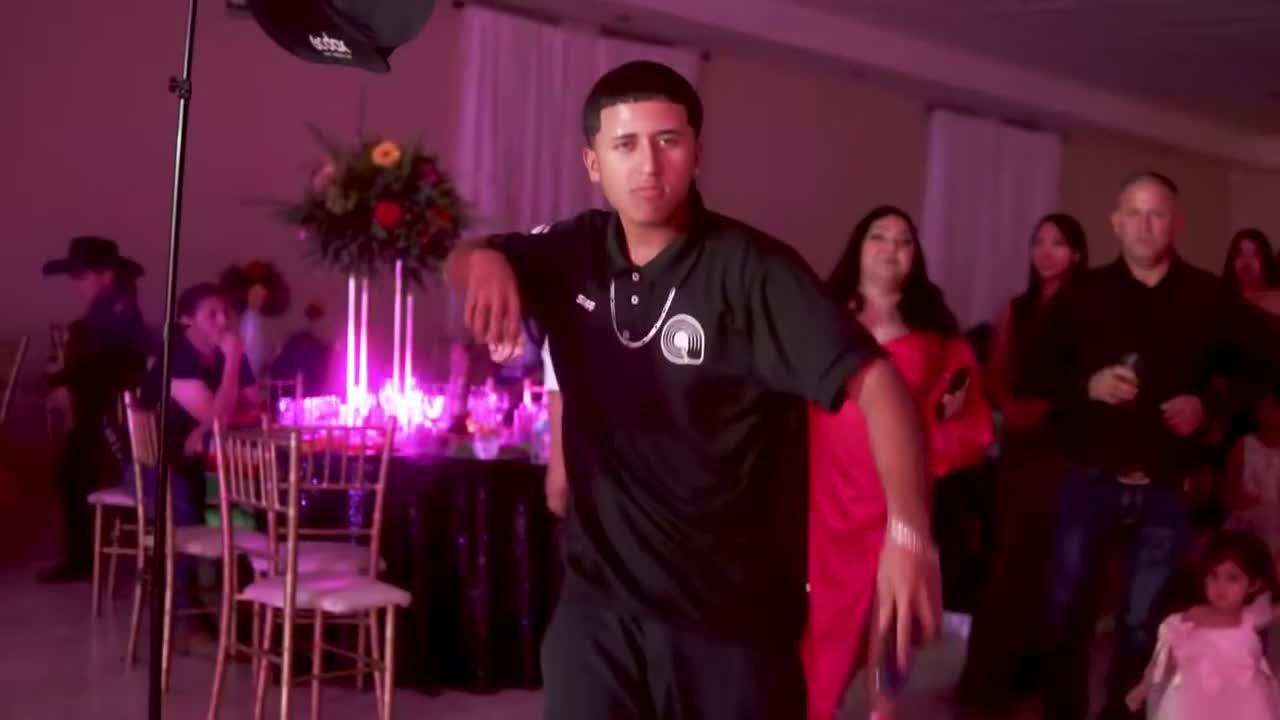
01Source Video
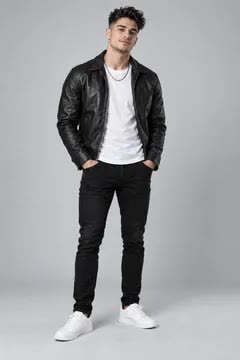
02Character Photo
03Swapped AI Video
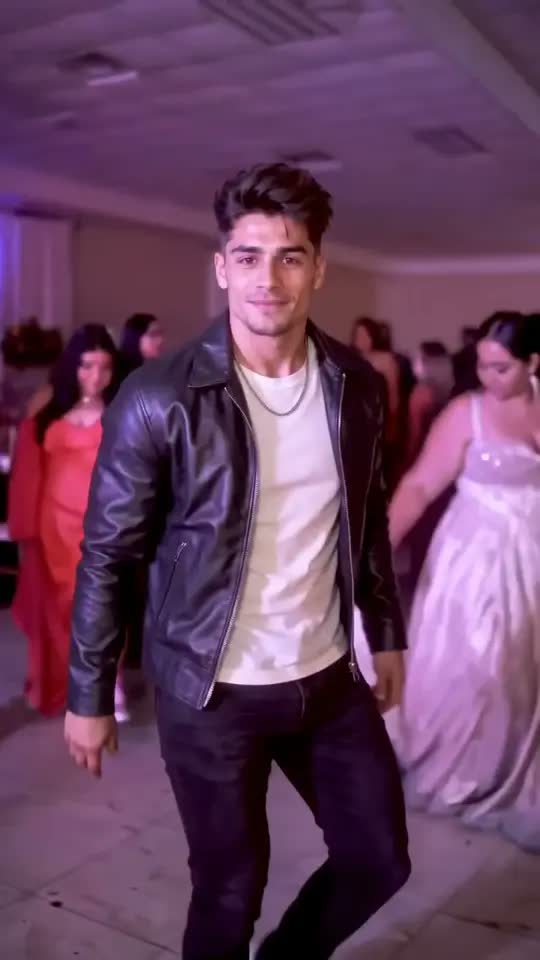
Source preview is muted—play the swapped video to hear the original audio. Fine details like framing and fabric folds may vary slightly between AI takes.
AI VIDEO CHARACTER SWAP · FULL-BODY REPLACEMENT
Upload a short video clip and one or two character photos. Replace the entire performer—face, hair, outfit, and body—while keeping original motion, camera, and audio.
VERIFIED BEFORE & AFTER
Inspect a real production swap side by side—the original source footage, the uploaded character reference photo, and the finished AI video with original audio.
01Source Video
02Character Photo
03Swapped AI Video
Source preview is muted—play the swapped video to hear the original audio. Fine details like framing and fabric folds may vary slightly between AI takes.
Verified outputs rendered through our production character-swap pipeline.
CREATOR GALLERY · DIVERSE STYLES
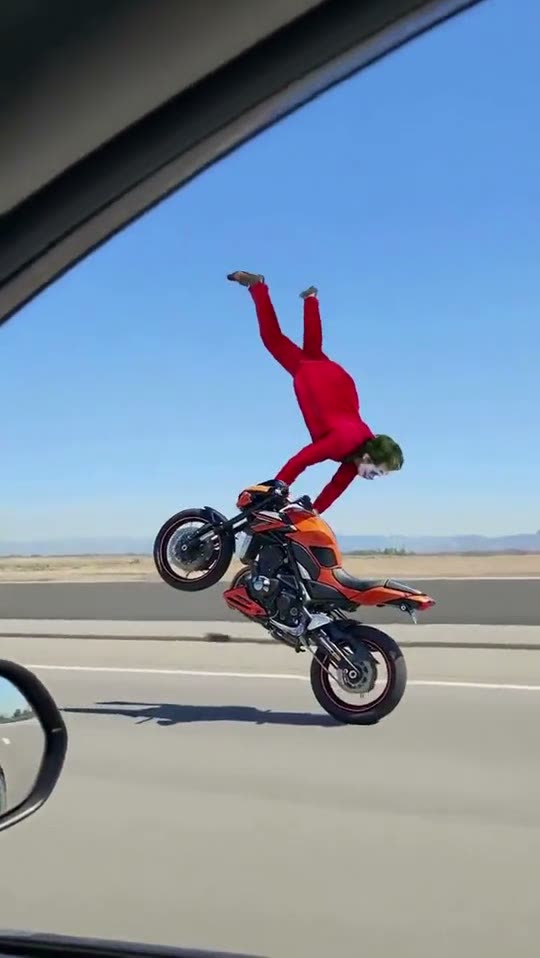
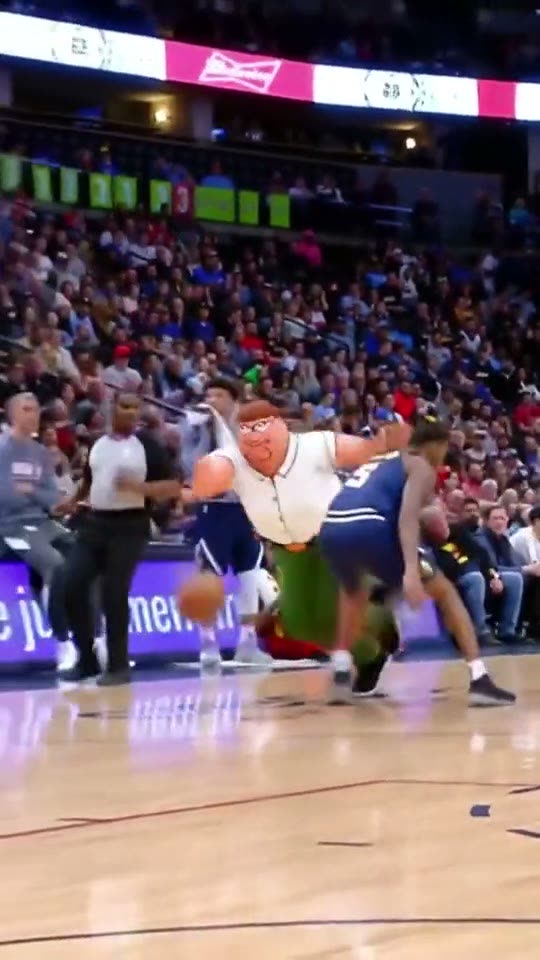
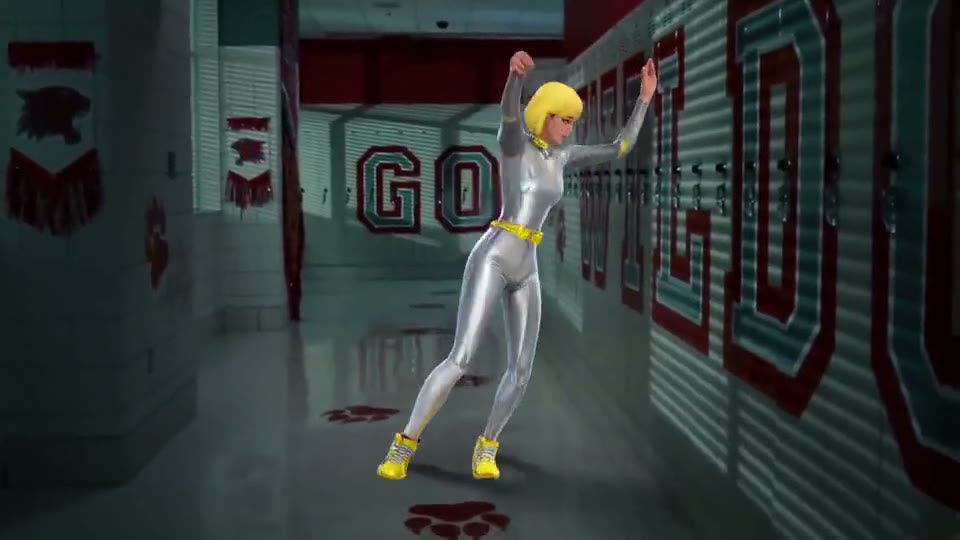
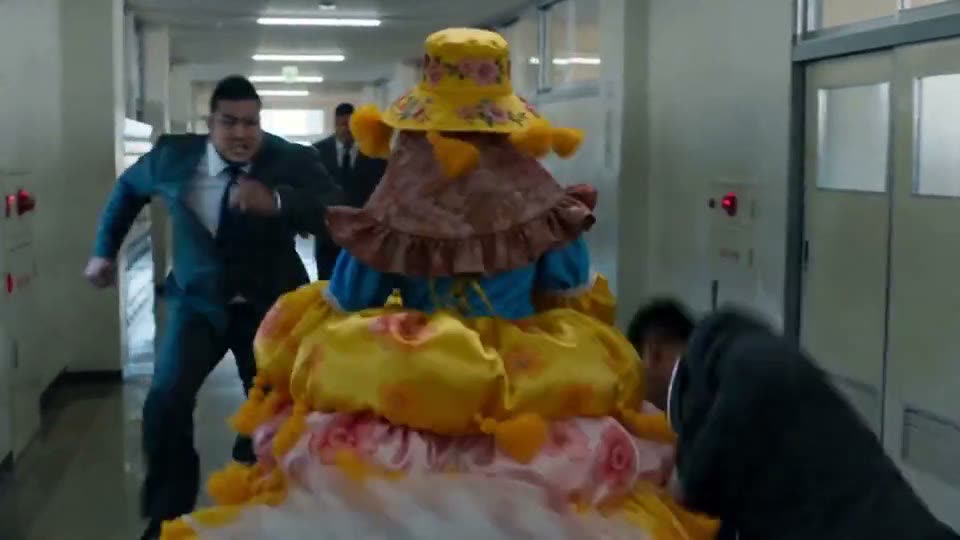
From stylized 3D personas and two-person choreography to live sports and action scenes—scroll to preview real full-body character swap outputs.
PRIVACY, AUDIO & RELIABILITY
Video trimming and photo selection stay on your device until you click Generate. After generation, originals and results live in private storage with 30-day automatic deletion and one-click manual wipe.
Whether your source clip has music, dialogue, or ambient sound, we remux the original audio track into your finished MP4 automatically. Silent clips stay silent.
If a task errors out, gets rejected by the provider, or stalls past 3 hours, your credits return automatically to your balance. You never lose credits on failed runs.
Skip GPU rentals, broken node graphs, and prompt writing. Everything runs in the cloud—just upload your clip and photo to get a clean, watermark-free MP4.
THREE-STEP WORKFLOW
Drop an MP4, MOV, or WebM clip from your phone or computer and select the cleanest section. Trimming and playback happen locally in your browser—nothing leaves your device during preparation.
Choose whether to swap one main performer or two people positioned clearly left and right. Upload a sharp, well-lit photo or character image showing the face, hairstyle, and outfit clearly.
Choose your resolution and click Generate. After sign-in and credit verification, we upload your clip, render the swapped video, merge the original audio, and keep your clip ready to reuse in your account.
Looking for lighting, framing, and two-person tips? Read our full guide on how to replace a person in a video with AI.
CREATOR USE CASES
From dance clips to branded IP characters and two-person comedy skits, full-body character replacement turns any short take into a new production.
Turn a dance clip you filmed into a new performance starring yourself, a friend, or an original character. The original footwork, arm timing, and beat sync carry directly into the new render while the original song stays intact.
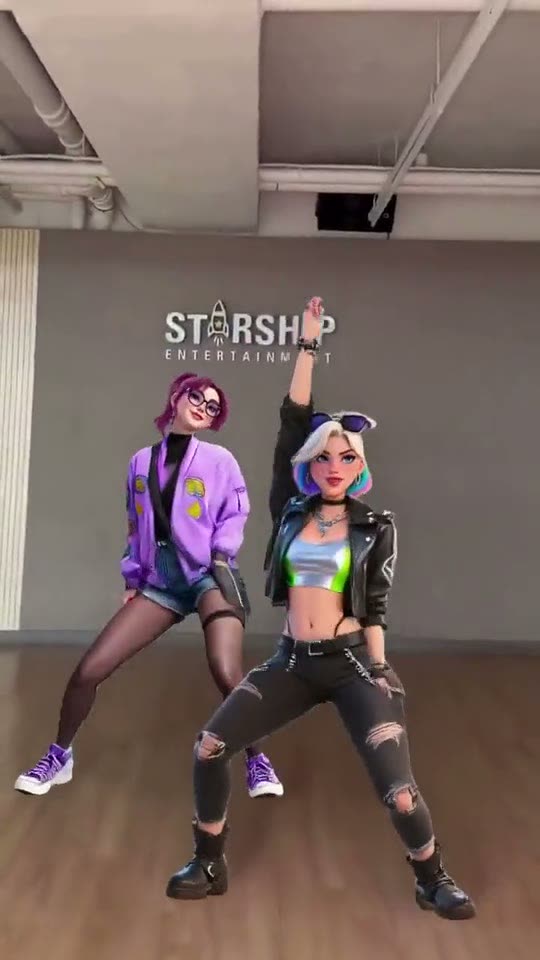
Most character swap tools break as soon as a second person enters the frame. Here you can assign one photo to the left performer and a second photo to the right performer, recasting an entire duet at the exact same credit cost.
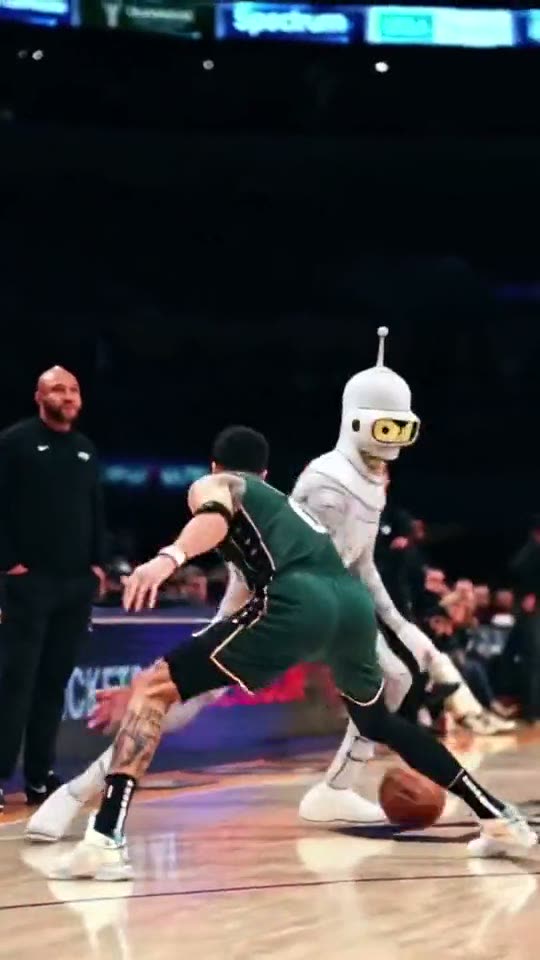
Recast reaction clips, music video hooks, and comedy shorts for TikTok, Reels, and YouTube Shorts without reshooting on location. Every clip you render from stays in your Saved Clips library so you can test multiple characters on the same take.
Bring illustrated personas, cosplay looks, or stylized brand mascots into real-world camera movement. Using real human motion as the driving reference avoids the stiff, floaty animation that text-to-video models often produce.
COMPLETE GUIDE · FULL-BODY REPLACEMENT
Many creators searching for a character swap AI tool first try a basic video face swapper or spend hours wrestling with local ComfyUI workflows. Understanding how full-body AI video character swap differs saves both time and generation credits.
A traditional video face swap only pastes a new face mask onto the original performer's head. The original body proportions, clothing, hairstyle, skin tone on the neck and hands, and silhouette remain completely unchanged. Whenever the original dancer wears a distinctive outfit or has a completely different build from your reference photo, a face swap immediately looks pasted-on and uncanny.
AI Character Swap replaces the whole person from head to toe. Using your source video for motion, timing, framing, and scene layout, it renders your character's head, hair, outfit, and posture right into the original shot's lighting. That works far better when the new person has different clothes, a different build, or a stylized look.
Open-source and cloud node workflows—such as ComfyUI pipelines built around Wan, MiniMax H3, or custom LoRAs—offer deep technical control, but they require expensive 24GB+ VRAM GPUs, brittle Python dependencies, manual pose extraction, and separate FFmpeg passes just to put the audio back. Even a minor node mismatch can waste an entire evening.
AI Character Swap puts the whole workflow in one simple web tool. Trim your clip locally with instant preview, pick 1 or 2 character slots, and get back a finished MP4 with the original audio intact. Your drafts stay saved in the browser for 24 hours across sign-in and checkout, so you never lose your trim points.
Since each generation uses credits, starting with clean footage and a clear character photo makes the biggest difference to your results. Pick a short clip where the subject stays clearly visible under even lighting, and skip clips with hard cuts, people walking across the frame, or heavy camera blur.
For the character reference image, use a sharp, unobstructed portrait or half-to-full-body picture facing roughly toward the camera. Sunglasses, harsh colored club lighting, heavy filters, or tiny cropped faces reduce identity fidelity. If you are replacing two people, make sure the left and right performers stay on their respective sides without crossing paths during the trimmed window.
Weighing local GPU pipelines against browser tools? See our breakdown of MiniMax H3 character swap in ComfyUI vs. browser workflows.
| Feature | AI Character Swap (Browser) | Basic Video Face Swap | Local ComfyUI / MiniMax H3 |
|---|---|---|---|
| What gets replaced | Full character (face, hair, outfit & body) | Face mask only (keeps original body & clothes) | Full character (depends on workflow & LoRA) |
| Setup time | Under 60 seconds in browser | Fast, but limited visual realism | Hours of GPU, model & node debugging |
| Original audio | Automatically remuxed into final MP4 | Usually preserved | Manual FFmpeg audio merge required |
| Two-person support | Built-in Left + Right slot selector | Often flickers between faces | Requires complex multi-masking nodes |
| Hardware required | Any phone or laptop browser | Any browser | 24GB+ VRAM GPU or paid cloud pod |
| Pricing model | Pay-as-you-go from $6.99 (no watermark) | Subscriptions or watermarked tiers | Hourly GPU billing + setup overhead |
TRANSPARENT CAPABILITIES & LIMITS
AI Character Swap focuses on doing one workflow reliably: taking a short video from your device, swapping one or two main people using your reference photos, and returning a clean MP4 with the original audio intact.
We keep expectations honest before you spend a credit. Your clip guides movement, timing, and framing closely, while fine facial details and textures are synthesized by AI and can vary between takes. Always preview before publishing, and use footage and likenesses you have permission to use.
Designed for short clips with one main performer or a clearly framed duo. Crowds, heavy occlusion, object edits, weather changes, and full-length movies are outside this workflow.
FREQUENTLY ASKED QUESTIONS
AI Character Swap replaces the entire person in your video—including face, hairstyle, body, and outfit—using one or two reference photos. Unlike a basic video face swap that only pastes a face mask onto the original body, full character replacement synthesizes the new person naturally into the scene's lighting and motion.
Yes—and you don’t need to pre-cut your video in another editor first. Upload any MP4, MOV, or WebM file straight from your phone or computer, then use the built-in timeline trimmer to pick the exact moment you want to swap. Just save the video to your device first, as direct social media links aren’t supported.
Yes. Switch the performer selector to Two People and upload one photo for the left performer and one for the right performer. Replacing two people costs the exact same number of credits as replacing one person.
Not until you click Generate. Video selection, trimming, playback, and photo staging all happen locally in your browser. Your drafts stay saved on your device for up to 24 hours across sign-in and checkout, and files are only uploaded once you click Generate and pass account and credit checks.
Preparing your video and photos is free. To generate, packs start at $6.99 (2 credits)—1 credit for 480p or 2 for 720p HD—dropping to $5.56 per HD video in larger packs or $3.97 on a yearly plan. One-time credits never expire, there is no watermark, and there are no free signup credits.
Yes. After the swapped video finishes rendering, we automatically remux your source clip's original soundtrack into the final MP4. If your source clip is silent, the output remains silent.
Saved clips, photos and results are scheduled for deletion after 30 days. Download anything you want to keep. Running tasks finish before cleanup.
Yes. Every source clip you generate from is kept in your Saved Clips library. You can reselect it anytime and swap in a new picture or character photo without uploading or trimming the video again.
Use a well-lit, steady source clip with one clearly visible main subject (or two clearly separated left/right subjects) and minimal camera cuts. Pair it with a sharp, front-facing character photo without sunglasses or heavy occlusion.
Failed or stalled generations return credits automatically to your balance—no support ticket needed. If a completed MP4 has a clear defect (such as missing audio when the source had sound, or a completely unswapped subject), email support within 7 days for a credit review. Normal AI variation is not eligible for a free redo.
READY TO RECAST YOUR CLIP?
Bring a short video clip and a clear character photo. Prepare everything locally in your browser and download your swapped MP4 with the original audio.
Start swapping now